


Publix Pharmacy
4.84.16K Reviews
App Specs
- Version
- 3.1.16
- Updated On
- License
- Free
- Downloads
- 1,000,000+
- Developer
- Publix Super Markets Inc.
- Categories
- Medical
- Platform
- Android, iOS
Screenshots
 Analysis by AppCompare
I find pharmacy apps most useful when they take a repetitive task off my plate without making me learn a complicated system. That is the practical promise of Publix Pharmacy: it gives you a way to manage prescription errands from your phone, rather than relying on a call or a visit for every routine step. It is a medical app from Publix Super Markets Inc., and its strongest appeal is straightforward convenience for people who already use a Publix pharmacy.
A focused tool for prescription routines
The app is free, and it has a 4.8 average from around 11,000 ratings, with more than 1 million installs. Those figures suggest it has found a sizeable audience, but the more useful question is whether its approach suits your routine. I see it as a practical companion to a pharmacy relationship, not a replacement for a pharmacist or a general health-care service.
The difference matters. A broad health app may try to cover appointments, fitness, records, and advice all at once; a pharmacy app has a narrower job. Keeping the focus on prescription tasks can make it easier to return for a quick action, especially when you are checking on a refill or trying to remember what you have been prescribed. If your pharmacy is not Publix, though, this is unlikely to be the right hub for your medication routine.
What convenience looks like day to day
In a realistic week, I might check my medication situation while making a grocery list, then handle a refill before I forget. That small change in timing is the app’s real value: I can deal with an errand when it occurs to me, instead of having to be near a phone or pharmacy counter. It does not remove the need to plan ahead, but it can make the planning less dependent on memory.
One useful habit is to check prescription details before the supply is running low, rather than waiting until the last day. That gives you a chance to notice whether you need to take another step and contact the pharmacy if something is unclear. I would treat any in-app status or reminder as a prompt to check, not as a reason to ignore a time-sensitive medication concern.
Where it fits among pharmacy options
Compared with calling the pharmacy, the app is appealing for routine tasks you can handle on your own schedule. A phone call is still the better route when you need a nuanced answer, want to explain an unusual situation, or need a person to clarify what to do next. Compared with a general reminder app, a pharmacy app can keep the prescription task closer to the pharmacy workflow, while a basic calendar may be more flexible for reminders that involve several medicines or appointments.
I would not choose this app just because I want a complete medication-management system. Someone coordinating care across multiple pharmacies, or looking for a single place to organize a more complex treatment plan, may prefer a broader tool and direct guidance from their health-care team. The best fit here is more specific: someone who uses Publix Pharmacy and wants routine prescription management to take fewer steps.
Worth Reading Before You Choose

EA SPORTS FC Mobile 26 Is a Bigger Football Game, but It Takes Time

Flipboard Shows What News Apps Must Do Beyond the Feed

Switching to Android Auto Means Rethinking Your Driving Routine

Google Calendar Makes a Crowded Week Easier to Manage

Ludo King Makes the Most of the Minutes Between Plans

Baby Panda World Brings Quick Play to Modern Phones, but Its Game Library Feels Busy
Good reasons to pause before relying on it
Convenience can make an app feel more definitive than it is. Prescription timing, availability, and questions about treatment can call for confirmation from the pharmacy or a clinician. I would use the app to organize ordinary errands, but I would not treat it as medical advice or use it to decide whether to change how I take a medicine.
There is also a practical dependency: the app only helps if you can sign in and keep your account details accessible. If you share a phone, take a moment to consider who can see notifications or account information on its screen. For sensitive health details, I prefer to keep device access protected and avoid leaving an unlocked phone where others can browse it.
Who is likely to appreciate it
I would recommend trying it if you already fill prescriptions at Publix, prefer handling basic errands on your phone, and want a more organized way to keep prescription tasks in view. It is also a reasonable option for someone who tends to forget a routine refill and would benefit from checking in before the last minute. The app is rated for Everyone, but medication decisions still call for adult attention and, when needed, professional advice.
If you use another pharmacy, need one place to manage prescriptions from several providers, or would rather speak with a person for every transaction, the app may add little to your routine. In those cases, the pharmacy you already use, a phone call, or a separate medication organizer may be a better match. The current version is 3.1.13, and the app supports Android 8.0 or later; I would check that your device meets that requirement before planning to rely on it.
Getting Started with Ease
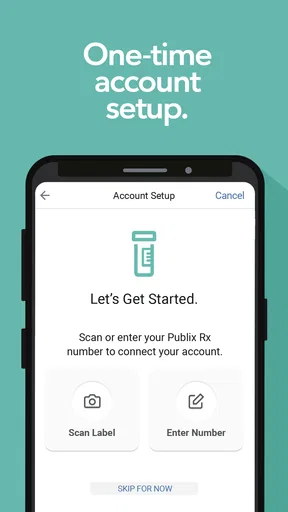
First things first, downloading the Publix Pharmacy app is a breeze. Available on both Android and iOS, I found it on the app store in seconds. Setting it up was straightforward, too. Just a few taps, and you’re ready to roll. You’ll need to create an account or log in if you already have one. No sweat, right?
What I loved right off the bat was how clean and intuitive the interface is. You’re not bombarded with unnecessary information, which is a relief. The app is designed to get you where you need to go quickly. Whether you’re tech-savvy or not, this app feels like it was made for everyone.
Refill Prescriptions Without a Hitch
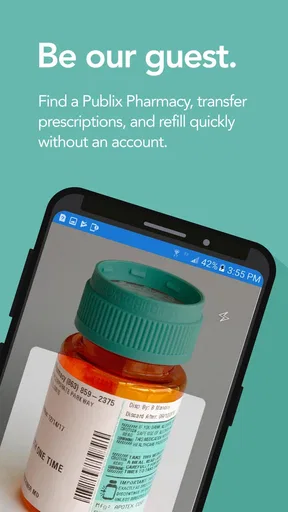
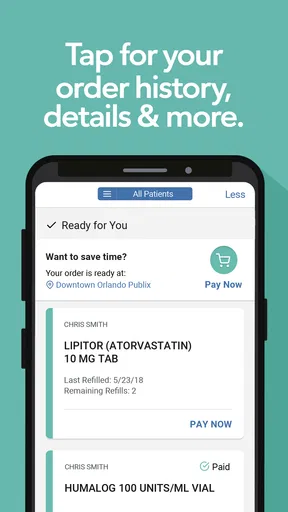
Let’s talk about refilling prescriptions, the bread and butter of this app. Once you’re logged in, refilling is as simple as tapping on a button. You can scan the barcode on your prescription bottle, and boom, you’re done. It’s seamless and saves a ton of time. No more waiting in line or making phone calls.
And here's a little insider tip: You can set up automatic refills, which is a lifesaver for those of us who tend to forget these things. The app will notify you when your meds are ready for pickup, and you can even set reminders. It’s like having a personal pharmacy assistant in your pocket!
Health and Wellness at Your Fingertips
Beyond refilling prescriptions, the app goes the extra mile with its health and wellness features. You can access your medication history, which is super handy for keeping track of what you’ve been prescribed over time. It’s all there, neatly organized, so you don’t have to dig through paperwork.
Another nifty feature is the health info section. It’s packed with articles and tips to help you stay informed about various health topics. I found this quite useful, especially when I needed to understand more about a specific medication or condition.
Location Services and Store Info
Need to find the nearest Publix store? The app’s got you covered. With built-in location services, you can quickly locate the closest pharmacy. It also provides store hours and contact information, which is super convenient if you need to call ahead.
Plus, if you’re traveling or on vacation, finding a nearby Publix is a snap. No more Googling around or getting lost. It’s all right there in your hand.
Privacy and Security
Now, I know what you’re thinking—how secure is this app? Rest assured, privacy and security are a top priority here. Publix has implemented robust security measures to protect your personal information. You can manage your account settings and even set up additional security features for peace of mind.
In this day and age, it’s crucial to know your data is safe, and Publix seems to have taken that seriously. They’ve made it easy for users to trust them with their health information.
Final Thoughts
Overall, the app has made managing my prescriptions a hassle-free experience. It’s user-friendly, efficient, and packed with features that cater to my everyday needs. Whether you’re a busy bee or someone who just wants to simplify their life a bit, this app is worth checking out.
So, if you haven’t already, give it a try. You might just find it’s the perfect addition to your digital toolkit. And hey, who doesn’t appreciate a little extra convenience in their day-to-day routine?
Pros
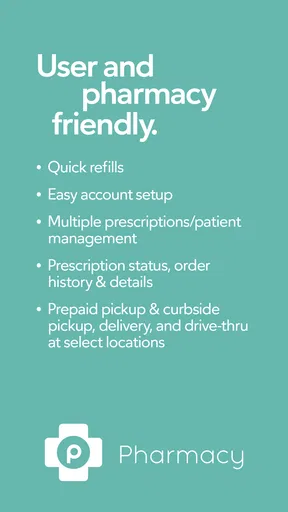
- User-friendly interface for easy navigation.
- Refill prescriptions with just a few taps.
- Receive notification reminders for refills.
- Locate nearby Publix pharmacies quickly.
- Access to health and wellness resources.
Cons
- Limited functionality without internet access.
- Occasional glitches with prescription refills.
- No in-app chat support for immediate help.
- Requires account setup for full features.
- Not available in all regions.
FAQs for Publix Pharmacy
What services does the Publix Pharmacy app provide?
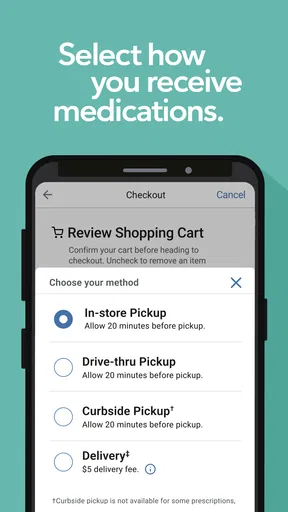
The Publix Pharmacy app allows users to manage their prescriptions conveniently. Services include prescription refills, status checks, and transfer requests. Additionally, users can set medication reminders, locate nearby Publix pharmacies, and manage family prescriptions, making it a comprehensive tool for all your pharmaceutical needs.
Is the Publix Pharmacy app available for both Android and iOS?
Yes, the Publix Pharmacy app is available for both Android and iOS platforms. Users can download it from the Google Play Store for Android devices and the Apple App Store for iOS devices, ensuring accessibility for a wide range of smartphone and tablet users.
How secure is my personal information on the Publix Pharmacy app?
Publix Pharmacy app prioritizes user privacy and employs robust security measures to protect personal and medical information. The app uses encryption and secure connections to ensure your data is safe. Users are advised to create strong passwords and regularly update them to enhance security further.
Can I manage multiple prescriptions and family members through the app?
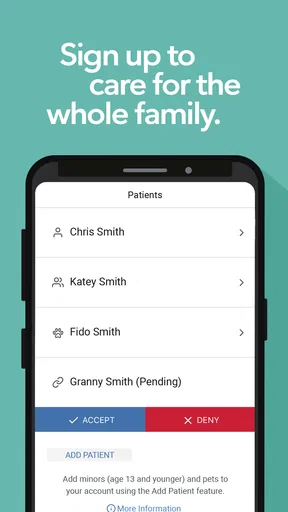
Yes, the Publix Pharmacy app allows users to manage multiple prescriptions and profiles for family members. This feature ensures that you can handle all your family’s pharmaceutical needs from one account, making it easier to track refills and medication schedules for everyone.
Are there any costs associated with using the Publix Pharmacy app?
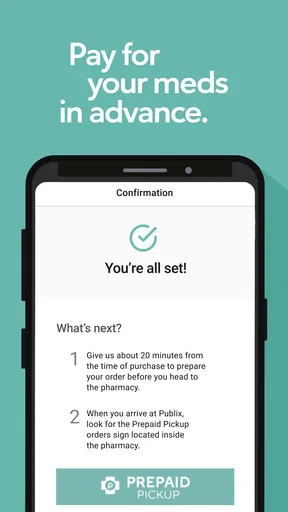
The Publix Pharmacy app is free to download and use. While there are no charges for accessing the app’s features, users will still need to pay for any medications or services ordered through the app, depending on their insurance and prescription costs.


